


Audit a design before it’s built.
Select a page or a whole flow in Figma and get a scored UX report in minutes, while a fix costs a few clicks, not a sprint.
Included with Pro and Team. Reads your file, never changes it.
The UX Signal plugin in Figma: a page’s desktop, tablet and phone frames are selected, the plugin lists all three, runs the audit, and shows a score of 78 out of 100.

Measured, not guessed
Readings from your own layers.
Up to three widths
Desktop, tablet and phone.
Whole flows
Two to six screens, one report.
Read-only
It never changes your file.
Contrast, measured from your layers.
A screenshot can only be judged by eye. A layer has a colour and a box, so the plugin compares each text layer with what is really behind it.
- Held to the WCAG line: 4.5:1, or 3:1 for large text
- Text over a photo is marked as not measurable, never guessed
- Failing pairs are grouped, so one grey is one finding
Surfaces, considered
Stone, terrazzo and porcelain, cut to order for the rooms people remember.
2.3:1 measured. Needs 4.5:1.
#AAAAAA on #FFFFFF, 16px body text
One page, at every width you drew.
Select a page's desktop, tablet and phone frames together. The audit judges how the design adapts, and measures every button and field where a thumb is the pointer.
- Tap targets held to 44px on tablet and phone
- One frame per width; extras are skipped, not guessed at
- Desktop only? Mobile is left out of the score, and the report says so
Desktop 1440px
Message, hierarchy, layout
Tablet 834px
Layout and tap targets
Phone 390px
Tap targets and stacking
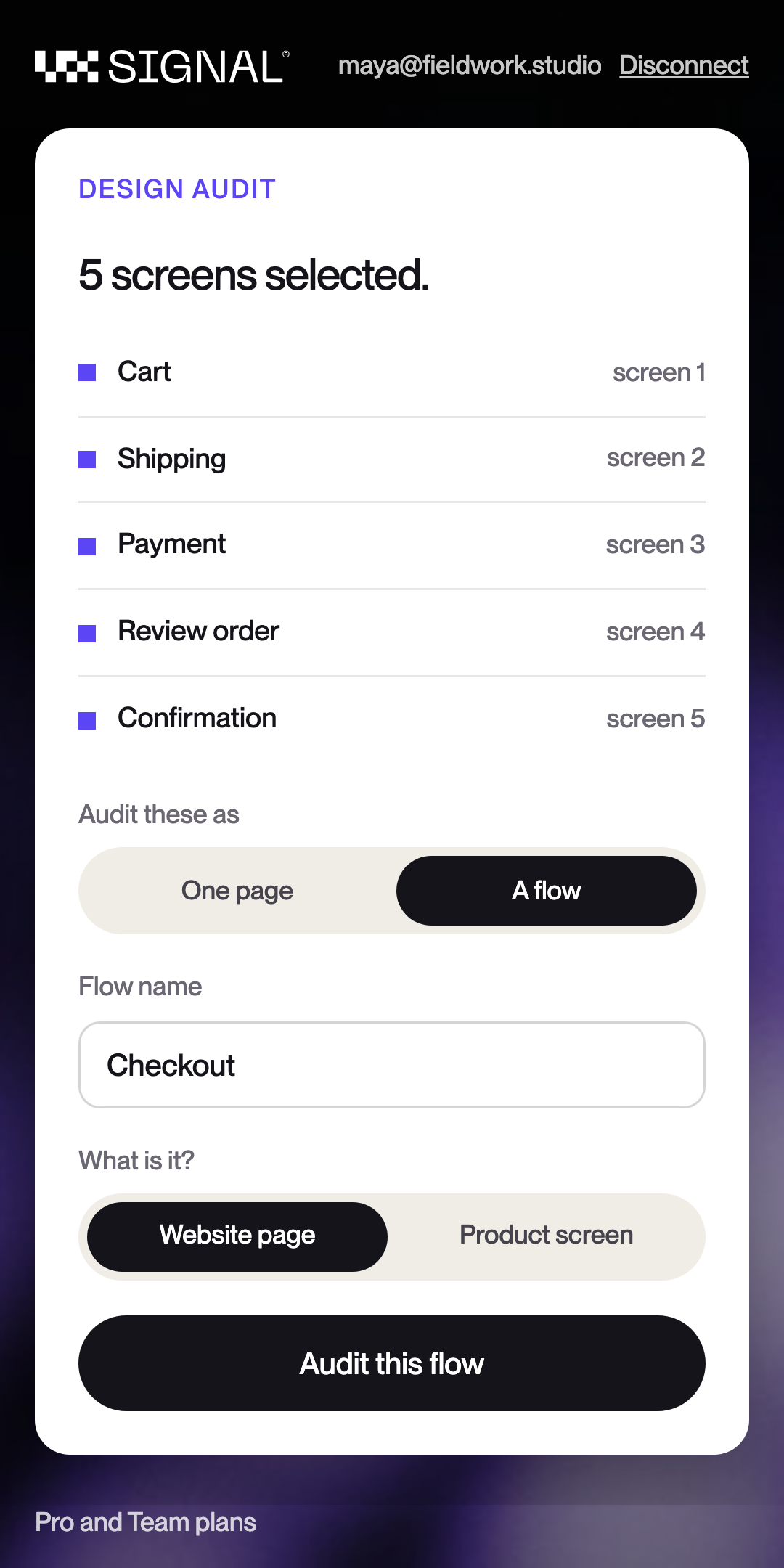
A whole flow, scored screen by screen.
Select the screens of a checkout, an onboarding or a sign-up. Each one is audited on its own, then rolled into one report with a score for the flow.
- Two to six screens, in the order they sit on your canvas
- A score and findings for every screen
- Website pages or product screens
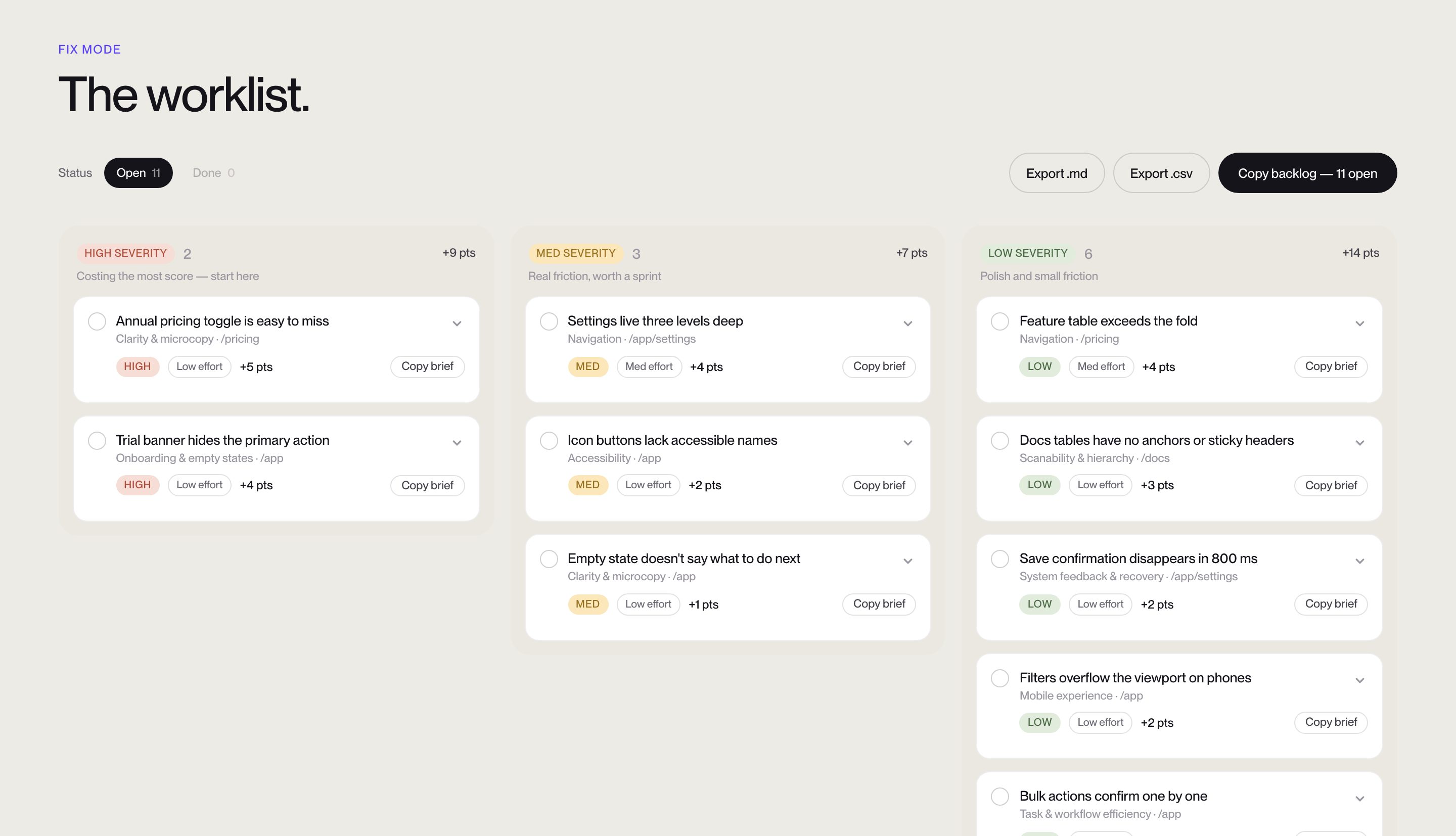
Every finding comes with its fix.
The score comes back in the plugin. The report is on your dashboard: each finding with where it is, why it costs you, and what to change, ready to hand to whoever builds it.
- A worklist you can export or copy into your backlog
- Share it with a client by link, in your own branding on Team
- Audit the same page again and see what moved
Three steps, all inside Figma.
Connect once
Add the plugin from Figma Community and press Connect. Approve the short code on uxsignal.io. No password is typed into Figma.
Select a page or a flow
Click a page's desktop frame, and add its tablet and phone frames to audit all three widths. Or select the screens of a flow.

Read the score
A few minutes later the score is in the plugin, and the full report is on your dashboard.
A design is scored only on what it shows.
Load speed, SEO and code don’t exist until a page is built. They are left out of a design’s score, not counted as passes.
Included with Pro and Team.
No extra seat and no add-on. A design audit counts as one audit.
Before you install it.
No. The plugin reads the frames you select and exports a picture of each. It never edits, moves or adds a layer.
Only what you select, and only when you press Audit: a picture of each frame, plus the text, colours, sizes and layer names read from it. It goes to your UX Signal account and is used to produce your report.
Pro or Team. A page counts as one audit, the same as auditing a URL. A flow counts as one full-site audit: Pro includes 5 a month, Team 12.
Because a design has neither. Those categories are left out of a design's score entirely, so the number reflects only what was judged. Audit the URL once the page is live and you get them.
A flow, yes. Select two to six screens and each one is scored, then rolled up into one report. It does not follow a clickable prototype's links yet, so you choose the screens.